> For the complete documentation index, see [llms.txt](https://docs.sov.ai/llms.txt). Markdown versions of documentation pages are available by appending `.md` to page URLs; this page is available as [Markdown](https://docs.sov.ai/time-series/nowcasting-series.md).
# Nowcasting Series
This module provides functionality for nowcasting financial data using a Multi-Frequency Long-term and Event-based forecasting method.
`Tutorials` are the best documentation — [`Nowcasting Series Tutorial`](https://colab.research.google.com/github/sovai-research/sovai-public/blob/main/notebooks/computational/Nowcasting%20Notebook.ipynb)
## Nowcasting Module
This module demonstrates how to use the `sovai` library for nowcasting financial data, particularly focusing on accounting data for mega-cap stocks.
### Setup
First, import and authenticate with the `sovai` library:
### Nowcasting
#### For a Specific Stock
To perform nowcasting for a particular stock (e.g., AAPL) and a specific accounting metric (e.g., accounts receivable):
```python
df_accounting.query("ticker == 'AAPL'").nowcast("data", "accounts_receivable")
```
#### For All Stocks
To perform nowcasting for all stocks in the dataset:
```python
df_accounting.nowcast("data", "accounts_receivable")
```
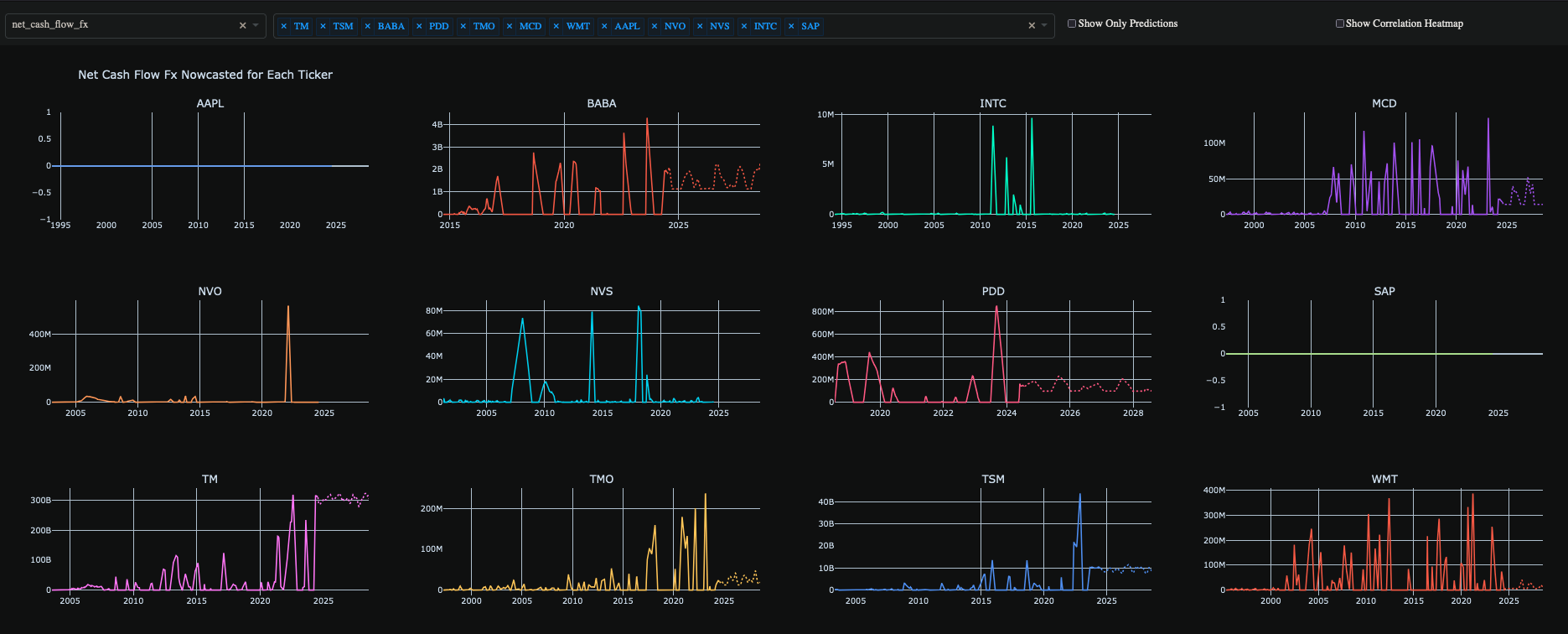
### Visualization
To create a plot of the nowcasted data:
```python
df_accounting.nowcast("plot")
```
### Notes
* The `sovai` library provides methods for data retrieval, stock selection, and nowcasting.
* The `nowcast` method can be used with "data" parameter to return nowcasted data, or "plot" to generate a visualization.
* Make sure you have the necessary permissions and a valid token to access the `sovai` library and its data.
This notebook demonstrates a streamlined approach to nowcasting financial data using the `sovai` library, allowing for quick analysis of accounting metrics for mega-cap stocks.