> For the complete documentation index, see [llms.txt](https://docs.sov.ai/llms.txt). Markdown versions of documentation pages are available by appending `.md` to page URLs; this page is available as [Markdown](https://docs.sov.ai/feature-processing/neutralize-features.md).
# Neutralize Features
The feature extractor module generates features that can be categorized into several types based on the nature of the calculations.
`Tutorials` are the best documentation — [`Neutralize Features Tutorial`](https://colab.research.google.com/github/sovai-research/sovai-public/blob/main/notebooks/computational/Feature%20Neutralization.ipynb)
## Feature Neutralization[¶](http://localhost:8888/lab/tree/notebooks/computational/Feature%20Neutralization.ipynb#Feature-Neutralization)
All these methods return the same number of columns as the input DataFrame. They transform the data while maintaining the original dimensionality, which is crucial for many financial applications where each feature represents a specific economic or financial metric.
1. Orthogonalization might be preferred when you want to remove correlations but keep the overall structure of the data. `orthogonalize_features`
2. Neutralization might be used when you want to focus on the unique aspects of each feature, removing common market factors. `neutralize_features`
#### Data Loading and Preparation
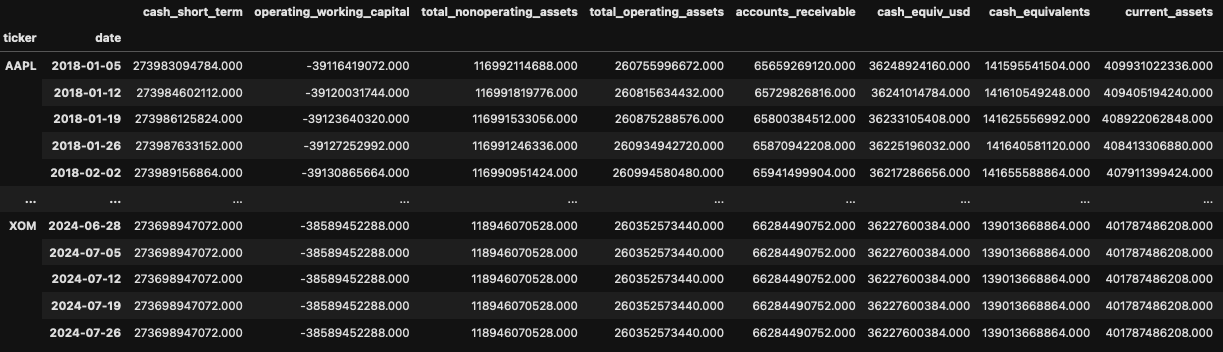
First, we load the necessary library and authenticate. Then we load the accounting data for mega-cap stocks from 2018 onwards.
```python
import sovai as sov
sov.token_auth(token="your_token_here")
# Load weekly accounting data
df_accounting = sov.data("accounting/weekly")
# Select mega-cap stocks from 2018 onwards
df_mega = df_accounting.select_stocks("mega").date_range("2018-01-01")
```
#### Orthogonalization
Orthogonalization transforms a set of features into a new set of uncorrelated (perpendicular) features while preserving the original information content. We demonstrate two methods: Gram-Schmidt and QR decomposition.
1. Gram-Schmidt method:
```python
# Apply Gram-Schmidt orthogonalization
df_orthogonalized_gs = df_mega.orthogonalize_features(method='gram_schmidt')
```
2. QR method:
```python
# Apply QR orthogonalization
df_orthogonalized_qr = df_mega.orthogonalize_features(method='qr')
```
#### Neutralization
Neutralization reduces the influence of common factors across features, typically by removing one or more principal components, leaving only the unique aspects of each feature. We demonstrate three methods: PCA, SVD, and Iterative Regression.
1. PCA method:
```python
# Apply PCA neutralization
df_neutralized_pca = df_mega.neutralize_features(method='pca')
```
2. SVD method:
```python
# Apply SVD neutralization
df_neutralized_svd = df_mega.neutralize_features(method='svd')
```
### Orthogonalization Methods:
* Gram-Schmidt orthogonalization:
* Transforms the original features into a set of orthogonal features.
* Each new feature is uncorrelated with all previous features.
* Preserves the original information content but in a different coordinate system.
* QR decomposition:
* Similar to Gram-Schmidt, it produces orthogonal features.
* It's a more numerically stable method for orthogonalization.
### Neutralization Methods:
* PCA neutralization:
* Transforms the data into principal components and keeps only the last component.
* This effectively removes the main sources of variation in the data.
* SVD (Singular Value Decomposition) neutralization:
* Similar to PCA, but uses SVD to decompose the data.
* Keeps only the component associated with the smallest singular value.