> For the complete documentation index, see [llms.txt](https://docs.sov.ai/llms.txt). Markdown versions of documentation pages are available by appending `.md` to page URLs; this page is available as [Markdown](https://docs.sov.ai/realtime-datasets/economic-datasets/government-traffic.md).
# Government Traffic
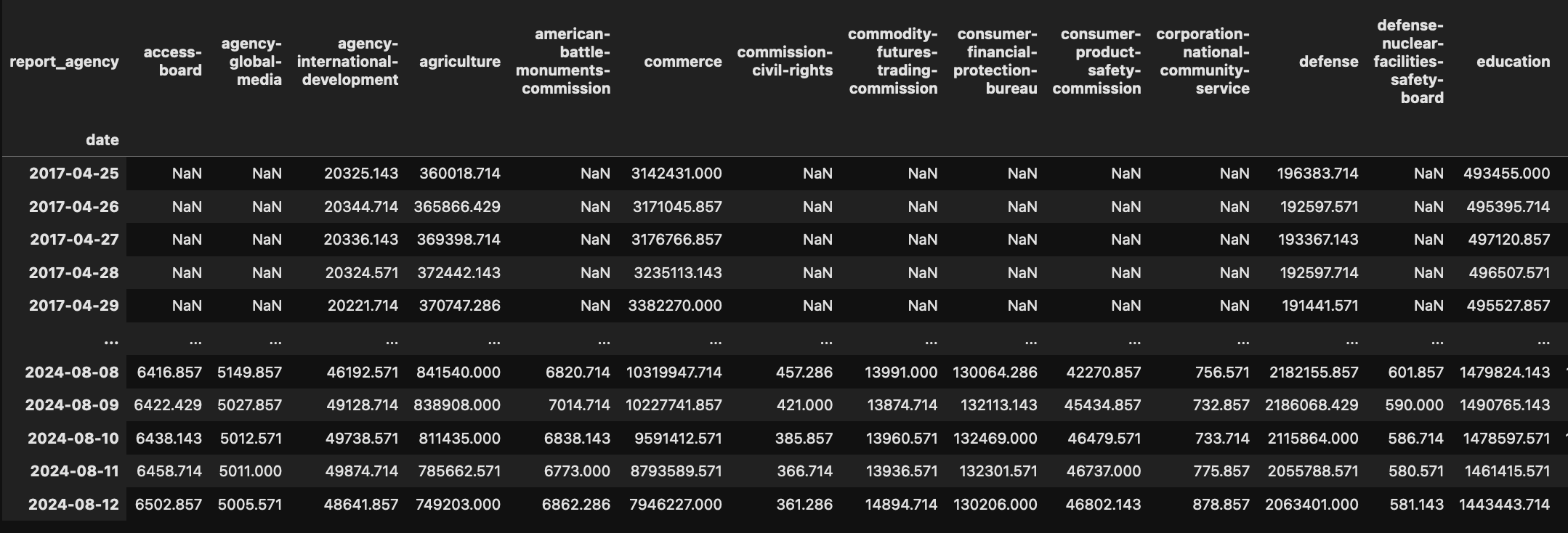
This dataset provides insights into web traffic patterns for various U.S. government agencies and domains.
{% hint style="success" %}
Dataset contains 2600+ government domains, available from 2017-04-25 onwards.
{% endhint %}
`Tutorials` are the best documentation — [`Government Traffic Analysis Tutorial`](https://colab.research.google.com/github/sovai-research/sovai-public/blob/main/notebooks/datasets/Government%20Internet.ipynb)
## Description
This dataset provides web traffic data for U.S. government agencies and domains, offering insights into public engagement with government websites.
It enables analysis of traffic trends, inter-agency comparisons, and patterns of citizen interaction with government online resources.
## Data Access
```python
import sovai as sov
sov.token_auth(token="your_token_here")
# Agency-level traffic data
df_agencies = sov.data("government/traffic/agencies")
# Domain-level traffic data
df_domains = sov.data("government/traffic/domains")
```
### Dataset Contents
1. **Agency Traffic (df\_agencies)**
* Provides traffic data aggregated at the agency level.
* Allows for high-level analysis of government agency website usage.
2. **Domain Traffic (df\_domains)**
* Offers more granular data on traffic to specific government domains.
* Enables analysis of individual website performance within agencies.
### Analysis Capabilities
* Time series analysis of traffic patterns
* Correlation analysis between different domains or agencies
* Calculation of statistical measures like coefficient of variation
* Filtering for specific types of domains (e.g., embassies)
### Example Analyses
1. Plotting agency-level traffic:
```python
df_agencies.plot()
```
2. Analyzing embassy website traffic:
```python
df_embassy = df_domains.loc[:, df_domains.columns.str.contains('embassy', case=False)]
df_embassy.plot()
```
3. Correlation analysis:
```python
df_embassy.corr()
```
4. Advanced statistics (e.g., coefficient of variation):
```python
cv = df_embassy.std().div(df_embassy.mean()).sort_values()
```
This dataset is valuable for understanding government web presence, analyzing public engagement with government resources, and identifying trends in how citizens interact with government websites.