> For the complete documentation index, see [llms.txt](https://docs.sov.ai/llms.txt). Markdown versions of documentation pages are available by appending `.md` to page URLs; this page is available as [Markdown](https://docs.sov.ai/time-series/institutional-1.md).
# TS Decomposition
This module provides powerful tools for analyzing financial time series data, offering insights that can be valuable for financial analysis, investment decision-making, and economic research.
`Tutorials` are the best documentation — [`Time Series Decomposition Tutorial`](https://colab.research.google.com/github/sovai-research/sovai-public/blob/main/notebooks/computational/Decomposition%20Notebook.ipynb)
### Decomposition Techniques
The module primarily uses the Multiple Seasonal-Trend decomposition using LOESS method, which allows for:
* Trend extraction
* Multiple seasonal component extraction (e.g., weekly, monthly, quarterly)
* Remainder (residual) calculation
### Reactive Trend Analysis
This feature categorizes the trend in real-time as:
* Increasing
* Decreasing
* Sideways
### Usage Examples
```python
import sovai as sov
# Authenticate and load data
sov.token_auth(token="your_token_here")
df_accounting = sov.data("accounting/weekly").select_stocks("mega")
```
### Time Decomposition and Statistrics
```python
# Perform time decomposition
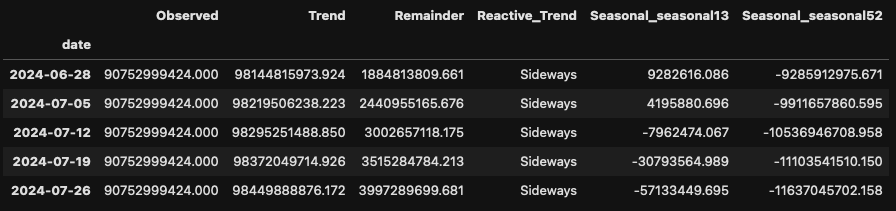
df_time = df_accounting.time_decomposition(method="data", ticker="AAPL", feature="total_revenue")
# Access overall statistics
```
```
print(df_time.attrs["stats"])
```
####
### Interactive Dashboard
```python
# Generate decomposition plot
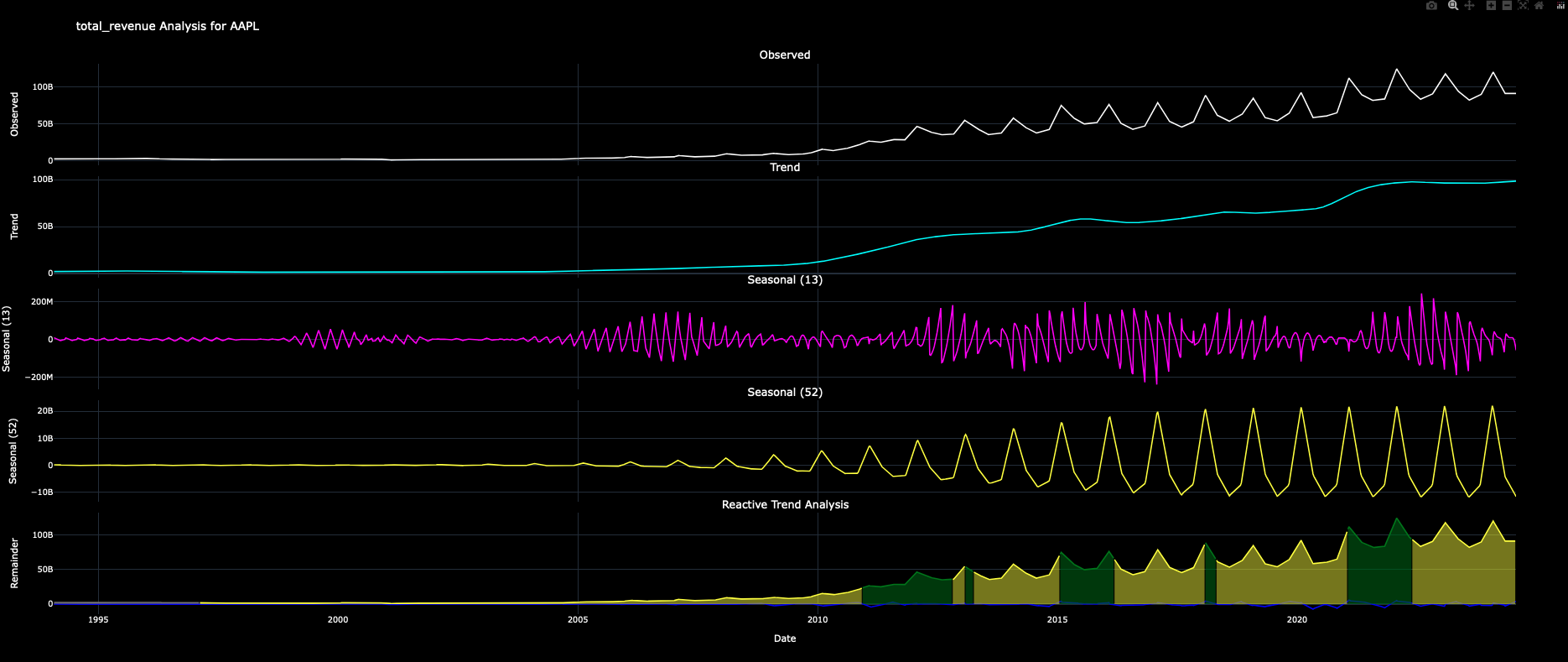
df_accounting.time_decomposition(method="plot", ticker="AAPL", feature="total_revenue")
```